Choose the Address Question First
A public-address observation, a local interface address and a registration lookup answer different questions. Start by writing the task: comparing a router WAN address, documenting the exit used by one browser request or reading the registry record for an address. This choice determines which evidence to collect. A public lookup cannot reveal the complete address configuration of the laptop, router or every application on the connection.
Record the device, active network, browser, observation time and selected address family. Note a VPN, proxy or relay that may affect this request. Keep account credentials and private configuration details out of a public result. Use a small evidence record that can be repeated. Changing network, browser and VPN together makes a new address hard to interpret because several assumptions changed at once.
Observe the Browser's Public Exit Deliberately
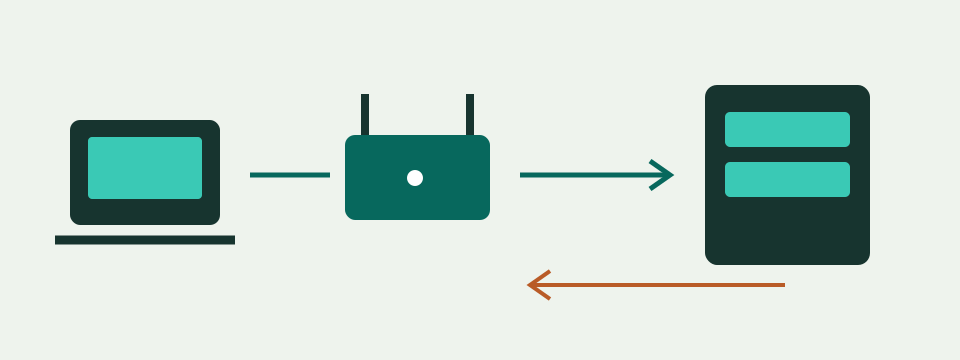
The public IP tool waits for its unchecked consent control and your action. Automatic mode asks a dual-stack endpoint for one observed address; it does not list both IPv4 and IPv6 or prove that both work. IPv4 mode makes a separate IPv4 request. The result gives the normalized address, family, provider and UTC check time. A displayed value is an observation of that request's exit, not a permanently assigned identifier for the device.
Keep the family explicit when comparing results. One automatic IPv6 observation and one router IPv4 entry are not a matching-address test. Repeat in IPv4 mode for the IPv4 comparison. Failure of that request is not a successful IPv6-only diagnosis: blockers, connectivity, timeout or provider access can also matter. No address is invented after a failure. An earlier successful result should not be presented as current evidence after a network change.
Find the Local and WAN Entries Separately
Read the local interface address and gateway from the device's actual network configuration. Then, with authorized access, read the router's WAN or internet-status address separately. The local gateway used to reach a router administration page is not automatically its WAN address. Several interfaces can be active, and a router may show addresses for more than one protocol or connection. Preserve the labels and family instead of copying the first number that resembles an address.
This website does not log into routers, enumerate local interfaces or read DHCP leases. A subnet calculation can explain the mathematical block of a manually supplied IPv4 address and prefix, but it cannot select the actual prefix or establish an address as unused. Do not change a working gateway or subnet merely to make a comparison match. Record the current settings before any independently justified configuration change.
Classify Private IPv4 and Shared Space Carefully
The private IPv4 blocks are 10.0.0.0/8, 172.16.0.0/12 and 192.168.0.0/16. The middle range stops at 172.31.255.255; not every address beginning with 172 is private. Shared address space for provider use is 100.64.0.0/10, ending at 100.127.255.255. It is a separate category, not another name for the three private blocks. Record the full address before assigning either category.
In a fictional comparison, a router WAN of 100.72.14.9 falls in shared space. A WAN of 192.168.20.2 falls in private space. Those classifications are independent of a public-address service result. They can guide the next question about upstream translation, but do not count every translation layer or expose the equipment responsible. Loopback, link-local and documentation addresses have other purposes and should not be treated as observed public exits.
Use Comparable IPv4 Observations for NAT Checks
Collect the WAN IPv4 and browser-observed public IPv4 close together on the intended path, then enter them in the CGNAT and double-NAT checker. Preserve both observations and their times. A private WAN differing from the observed exit suggests upstream translation in that path, but does not identify all routers. Shared-space WAN is a provider-related clue to discuss with the connection operator, not a browser measurement of their network layout.
An identical publicly classified WAN and observed IPv4 supports that particular address comparison. It does not demonstrate that incoming connections are permitted, that a service is listening or that port forwarding works. A different value can also involve a VPN, browser proxy, multiple links or changed assignment. The tool reports classification and comparison with guided next checks; it does not run a port scan or automatically prove the number of NAT layers.
Treat IPv6 as a Separate Observation
An IPv6 address is not an extended dotted IPv4 address. A device can have several addresses with different scopes and lifetimes. Unique-local IPv6 and documentation examples are distinct from globally used addresses. The guide's example 2001:db8::10 is reserved for documentation and is not a live public-address result to enter into the registration tool. Keep examples separate from actual observations when sharing a troubleshooting record.
The registration form accepts supported public IPv4 and IPv6 addresses, with its own conservative validation. It rejects local and special-use inputs, zone suffixes, slash prefixes, bracketed URL forms and IPv4-mapped IPv6. Enter the address itself, not a web address or CIDR network. Rejection is an input-scope decision, not proof that an interface lacks internet access. A local IPv6 field cannot be made into an internet registry observation by removing its descriptive label.
Read Registration Records Without Inventing a Location
The IP address lookup requests a supported regional registry through Savvy Toolkit's server after separate consent. It displays the queried address, family, network name, registrant holder when present, registered country, registry, handle and start/end range. Missing optional fields remain missing. The source link opens the registry reference. This is a selected registration report, not an enriched geolocation, ASN, reputation or VPN-detection database.
A registered country is not a measured device country, and a network holder is not the identity of a person currently using the address. Range endpoints describe the reported network record, not a list of connected devices. The check time records this lookup, not the original allocation date. Read the registry reference for details outside the selected display and avoid treating an unfamiliar holder name as proof of an attack or incorrect internet service.
Keep DNS and IP Registration Apart
A DNS lookup starts with a name and selected record type, while an IP registration lookup starts with an address. A website can use aliases or different addresses over time, and a name may produce several records. Record the DNS query, type, resolver, time and actual answer before moving to an address lookup. Do not substitute the public exit of your own browser for the server address returned for a website.
Neither registration nor an A or AAAA answer proves that the website is serving the required page. DNS, HTTP and search indexing have separate checks and separate limits. A registry holder can remain unchanged while a page returns an error. Use the DNS and indexing guide for that website task rather than extending an address report into a claim about availability, content ownership or search-engine inclusion that the report never measured.
Handle Errors and Data Flow Honestly
The public observation contacts ipify from the browser. The request omits credentials and the referrer, but the service still receives the connection information needed to answer. Registration uses the site's server and supported registry service; their logging depends on their operation. These properties do not guarantee anonymity, deletion or no logging. Share only the fields needed for the task, especially when a full public address would be unnecessary in a public forum.
Stop, hiding the tab and reset cancel pending browser work and invalidate earlier results. Cancellation is best effort after a server request has begun. A failed clipboard action needs manual copying; it does not establish that the address was saved. Busy, not-found and unavailable states differ from a successful report with missing optional fields. Preserve the error and time rather than turning any of those states into an invented empty registry record.
Build a Useful Escalation Record
Collect the exact task, two comparable addresses when relevant, their families, source labels, observation times and the network path used. Add the actual error or mismatched field, not a broad claim that the internet is broken. Keep private router screenshots and account identifiers within the intended support channel. Repeating a check should answer a specific remaining question, not replace an existing observation without noting that conditions changed.
Ask the network operator about address assignment and upstream translation when those are the unresolved facts. Ask the registry's documented correction process about a registration field, rather than expecting a browser tool to edit it. Test service access with the actual service's supported method when inbound reachability is the goal. These follow-ups use the appropriate evidence for each task and preserve the original configuration until a justified change can be assessed.