How to Use This Tool
- Choose a supported provider and request its status summary. Read the source link and the time Savvy Toolkit fetched the report.
- Select whether other websites work and whether the problem appears on one or several networks actually compared. Leave untested observations unknown.
- Review the provider report alongside these observations. Open the official status page for incident details and scope; keep local changes limited to documented checks.
Calculation Method
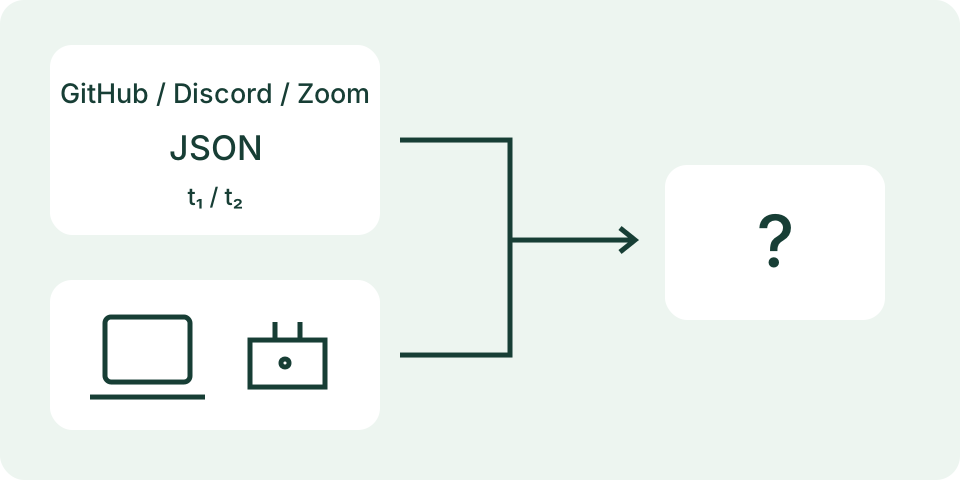
The server retrieves a fixed official feed and may reuse it for up to 60 seconds. Fetch time is separate from the provider’s update timestamp. A reported incident adds service-side context, while working or failing websites and compared networks guide the next manual check. None proves a single cause.
Worked Example
The provider reports operational status, other websites work, and the app fails on one compared network. Compare that connection with another available network using the same app feature. The report does not prove the app is healthy or that the router is faulty.
Separate a Service Problem from a Failed Task
Describe the exact task that fails, including the app, time and error. Opening a homepage, signing in, joining a call and uploading a file exercise different functions. A provider can report a component incident while another task still works. Conversely, an operational summary does not establish that your account, device or route is working. Keep the failed task separate from the provider's published summary so both observations retain their meaning.
This checker supports GitHub, Discord and Zoom. It requests their official public summary through Savvy Toolkit's server after you press Start. It does not probe your installed app, sign in to an account, submit a crowd report or measure every region. The two observation fields ask about networks already compared and other websites. Unknown is appropriate until an actual comparison has been made. The tool does not perform those manual comparisons for you.
Read the Provider Summary and Components Together
The result shows the published overall indicator, component states, a collection time, an available provider-update time and the official source link. A component's degraded performance or partial outage describes the provider's report, not a measurement from your phone. Look for the component relevant to the failed task and follow the source for incident details. This page does not reproduce the complete incident history, root cause, regional scope or expected restoration time.
An overall no-incident indicator is useful evidence but not an all-clear test of your individual task. A new or narrow issue may need a more specific support check. Do not interpret an empty component list as proof that every component is healthy. Unknown labels remain unknown, and malformed or unavailable feeds do not become operational results. The tool gives a bounded snapshot; it does not promise that the provider has reported every current problem.
Compare Times Without Inventing Freshness
Savvy Toolkit may reuse a successful provider snapshot for up to 60 seconds within the serving process. Starting again can therefore display the same collected time rather than a fresh provider fetch. The collection time and provider-update time describe different events. Neither tells you when your own problem began. A provider timestamp can remain unchanged while the service still responds, so a quiet timestamp alone does not establish an outage or a broken checker.
The page does not refresh continuously. Start initiates a request; Stop cancels the browser's active request, and hiding the page also stops it. A server request already sent can still finish independently. Changing services clears the previous snapshot to avoid presenting another provider's result as the new selection. Reset clears observations and result without changing network settings. Keep the displayed times alongside any screenshot or support note rather than describing an old snapshot as live monitoring.
Use Local Comparisons as Observations
When other websites also fail on the same device and connection, the local connection deserves checking separately from the selected app's status. When the app fails on one compared network, the checklist suggests a supported independent comparison. Keep the same task and account where appropriate, and note each changed condition. A different account or app version can make a comparison less direct. Do not disable organization controls, install an unknown VPN or submit credentials to a status checker.
For an illustrative checklist case, a major provider indicator plus other websites failing on one compared network produces service, local-connection, comparison and evidence groups. It does not choose one of them as the confirmed cause. An operational indicator with multiple networks compared and other sites working produces the evidence group. These are examples of the actual recommendation rules, not claims about a current GitHub, Discord or Zoom incident. Provider status and local symptoms can coexist.
Treat a Failed Lookup as Missing Evidence
A timeout, disabled server feature, provider restriction or invalid response can leave the summary unavailable. That means the lookup did not supply usable evidence; it does not prove that the selected service is down. Use the official source link and record the failed lookup separately from your application's error. The server contacts only its supported fixed feeds, so this tool is not a general URL checker or a way to inspect a private service endpoint.
The request sends the selected service identifier to Savvy Toolkit. Your manual network and website observations are not sent in that feed request. It does not need account credentials, message text, phone numbers or private app data. Opening an external official link creates a separate visit under that site's rules. Ordinary request logging depends on the site's final hosting configuration, so a local observation form should not be mistaken for a promise that no server receives any request.
Keep Evidence for the Right Next Check
Record the failed task, error, time, device or browser version, networks compared, other-site observations and provider snapshot times. Use current official incident details before repeating disruptive changes. A provider incident can justify waiting for its update, while an unresolved account-specific problem needs that service's support. Avoid repeated resets that remove useful settings without addressing the documented task. A successful retry records a new observation rather than proving that the earlier explanation was correct.
The internet-speed test can inspect its own browser-to-server transfer, not the selected provider's application path. The status-light reference can interpret supported device patterns, not an app incident. The connection-path guide helps organize comparisons without mixing these tests. No numeric speed, healthy-looking light or single status indicator certifies end-to-end application function. Keep unknown details unresolved and follow the appropriate source with the evidence actually collected.
What the Result Means
Providers can report after a problem starts or describe only affected components. An operational summary does not prove individual access. A feed timeout, invalid response or retrieval error means status is unavailable, not that the provider is down. Only the listed providers have feed support; the tool does not scan arbitrary websites or request credentials.
Common Questions
Can an App Fail While Its Status Page Says Operational?
Yes. Account, feature, regional or connection problems may be absent from the provider’s current summary.
Is the Provider’s Update Time the Time This Page Checked?
No. The provider supplies its own timestamp; Savvy Toolkit records when it fetched the report, and that response can be cached.