How to Use This Tool
- Copy the WAN or Internet IPv4 from the router’s status page. Its LAN address or your device’s local address is a different input.
- Obtain the observed public IPv4 from the same network at a similar time. Note VPN, proxy, mobile fallback or multiple-WAN routing.
- Enter both addresses and read their classifications and comparison. Confirm the network layout and provider’s addressing before changing settings.
Calculation Method
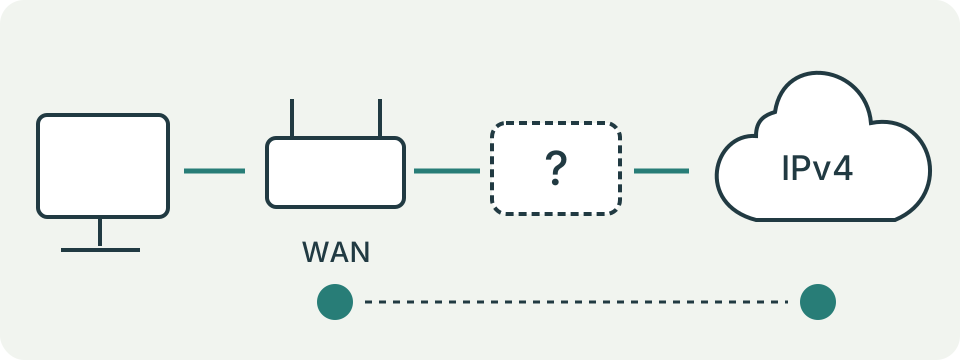
The checker identifies RFC 1918 private ranges, RFC 6598 shared space 100.64.0.0/10, special-purpose addresses and public-address candidates. It compares the entered values. Shared space is associated with carrier address sharing; a private WAN or mismatch can suggest an upstream translation point.
Worked Example
WAN address 100.64.12.34 falls within shared space. WAN address 192.168.1.20 is private. Both warrant checking upstream equipment; neither address alone establishes the number or ownership of NAT layers.
Find the Router's Internet Address
Open the router's status page through the method documented for that model. Look for WAN, Internet or broadband IPv4, rather than the address used to open the administration page. A router may have several addresses because its local network and Internet connection are separate interfaces. Your computer's local address is another value again. Copy the exact field label into private notes so a later comparison uses the same interface.
For a mesh or a separate modem and router, start with the device that routes the local network to its upstream connection. Do not assume every box translates addresses. A bridged modem, access point and routing gateway have different jobs even when their cases look alike.
Obtain a Matching External Observation
Read the externally observed IPv4 from the same connection at a similar time. Record an active VPN, proxy, mobile fallback or second Internet connection. These can send the browser along a different path from the router interface being inspected. A result from a phone using mobile data does not describe the home's broadband WAN.
Use an IPv4 observation for this checker. An IPv6 address containing colons cannot be converted by removing punctuation. A connection can use IPv4 sharing and separately provide IPv6 connectivity; this tool does not evaluate that arrangement. Recheck stale readings after a reconnection before interpreting any mismatch as a persistent condition.
Understand the Address Categories
Private IPv4 includes 10.0.0.0–10.255.255.255, 172.16.0.0–172.31.255.255 and 192.168.0.0–192.168.255.255. A private WAN is a clue to an upstream private network. It does not identify the upstream owner or count translating devices. The entire 172 range is not private: for example, 172.32.0.1 is outside that private block.
Shared space runs from 100.64.0.0 through 100.127.255.255. A WAN address there warrants asking the provider about address sharing. Other special-purpose ranges receive a separate classification. A public-address candidate means the number lies outside the ranges this implementation excludes; it is not a verified assignment, ownership record or reachability result.
| IPv4 | Classification |
|---|---|
| 100.63.255.255 | Public candidate |
| 100.64.0.0 | Shared |
| 100.127.255.255 | Shared |
| 100.128.0.0 | Public candidate |
Read a Match Without Assuming Open Ports
Matching WAN and externally observed values means these two entered IPv4 addresses agree. It does not prove that a game server, camera or remote service is reachable. The service must be running on the intended device, and host firewalls, router rules and provider restrictions can still affect incoming traffic. This checker sends no connection attempt to a port.
A router with a public WAN may still translate addresses for its private LAN clients. Therefore a match is not a count of zero NAT layers. Treat the comparison as one observation along the path, then inspect the relevant configuration through its normal documentation. Do not disable a firewall merely to make an address comparison look simpler.
Investigate a Private or Shared WAN
Sketch the actual cable path: local device, router, modem or upstream gateway, then provider. Record which devices operate as routers and which are configured as bridges or access points. A private WAN might come from another household router, an apartment network or provider equipment. Its numerical range alone cannot distinguish those arrangements.
For shared space, ask the provider which IPv4 service the connection currently receives and which supported options meet the task. Do not assume that a purchased router can change the provider's upstream addressing. Before altering bridge mode, check the model's instructions and the services that rely on the current layout, including any separate voice or television service.
Investigate Two Different Public Candidates
A mismatch can result from an active VPN, proxy, multiple WAN routes, mobile fallback or readings taken before and after an address changed. First confirm the browser's current network and repeat both observations. Compare the same address family and the WAN interface carrying that traffic. A difference is a reason to inspect the path, not a confirmed diagnosis.
Keep support notes limited to the relevant field labels, time, connection type and classification. Mask complete addresses in public posts when the exact number is unnecessary. Never share router credentials or an exported configuration to obtain an explanation of these two fields. The form calculates locally and does not automatically fetch either address.
Correct Invalid Input Before Drawing Conclusions
Enter four decimal numbers separated by dots, each between 0 and 255. Do not include a URL, port, prefix such as /24 or leading zeroes such as 010. The public observation field rejects private, shared and listed special-purpose values because those are not ordinary public observations for this comparison. An input error is not a network failure.
A special-purpose WAN deserves a field-label check. A copied placeholder, local diagnostic value or unassigned-interface display can look like an address without describing the active Internet link. Recheck the router status and its documentation. Reset clears the inputs; it does not reconnect the router, request a new address or repair NAT.
What the Result Means
Incorrect, stale or differently routed readings can create a mismatch. A public candidate is an address classification, not verified assignment or reachability. Special-purpose addresses need a separate explanation. This IPv4 check does not assess IPv6.
Common Questions
Do Matching Addresses Prove Ports Are Open?
No. Firewalls, services and forwarding rules still affect inbound access.
Does a Private WAN Prove Double NAT?
No. Inspect the upstream router or gateway and its configuration. Address comparison does not reveal every translation layer.