How to Use This Tool
- Open the test surface and touch it with one finger.
- Draw slow horizontal, vertical and diagonal lines.
- Add fingers, note the highest observed count and repeat any suspicious gaps.
Calculation Method
Clean and dry the screen, then place the device on a stable surface. Note the browser, screen orientation and any screen protector in use. Close floating overlays that cover the test area. Make the surface large enough to reach the region you want to inspect; browser controls and areas outside the page cannot be tested here.
Worked Example
Move slowly across the surface in parallel rows, then repeat in columns. Cross suspicious areas diagonally from both directions. A cell that has not received a touch remains untested. It is not automatically a dead zone. Coverage records where reported input arrived, so a thin finger path can leave gaps simply because the path did not cross them.
Read Contacts and Trails
The test displays active contacts and recent touch positions delivered to the browser. Add fingers one at a time and watch whether existing contacts continue to track. The maximum observed count is the largest number delivered during this session. A result of five does not prove that the physical panel supports only five contacts; the operating system, gestures or browser can affect what reaches the page.
Coverage Means Where a Pointer Was Seen
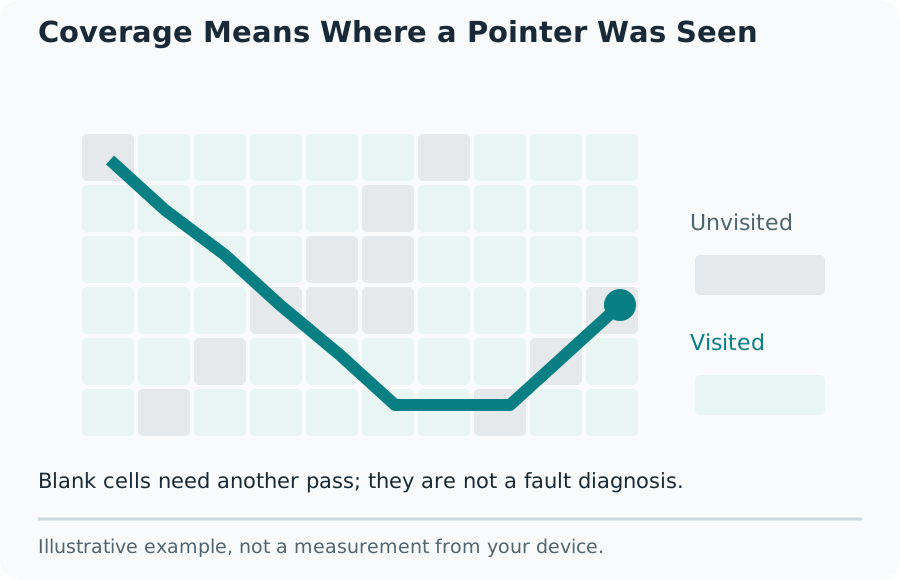
Sweep the Area Without Skipping Cells
Repeat a broken trail at a similar speed, then try another finger and another orientation. A pattern that moves with the page differs from one that stays at the same physical spot on the screen. Record those conditions before deciding which part of the device needs further checking.
Distinguish Touch from Mouse Input
A click can demonstrate that the test surface responds, but a mouse is not a substitute for a touch check. Pointer events identify the input type reported by the browser. Pen input can also behave differently from a finger. Keep results from different input types separate rather than combining them into one claimed touchscreen capability.
Some edge gestures belong to the operating system and may cancel a touch sequence. Browser scrolling or zooming can also interrupt input outside the dedicated test surface. Return to the centre and repeat the same motion before interpreting an isolated interruption as a hardware fault.
Investigate Unexpected Contacts
Lift every finger and observe whether new contacts continue to appear. Repeat with a dry screen and without unnecessary accessories attached. Do not press harder, bend the device or dismantle it to make a trail appear. A browser observation can help describe the symptom, but cannot establish whether the cause is the digitizer, software, moisture or another part of the device.
What the Result Means
This test does not measure electrical sensitivity, physical touch latency, pressure calibration or the condition of regions outside its surface. It cannot certify that a device is fault-free. A repeatable missing region or unwanted contact needs comparison with the device maker’s diagnostics and support instructions, especially when the same problem also affects normal applications.
Common Questions
Does Five Observed Touches Mean the Panel Supports Only Five?
No. The maximum is the largest simultaneous touch count delivered to this page during your session. The operating system, gestures and browser can hide contacts; a lower observed count does not establish the hardware limit.
Why Does a Mouse Not Fill the Touch Coverage Grid?
Mouse and pen positions can be displayed, but only touch-pointer events mark visited cells. A visited cell records a received event, not a certified healthy pixel or calibrated touch sensitivity.