How to Use This Tool
- Describe the symptom and note the game's own FPS, frame-time and network readings when available.
- Compare an online session with local play where the game supports it.
- Review the suggested path, change one condition and repeat the same scene.
Calculation Method
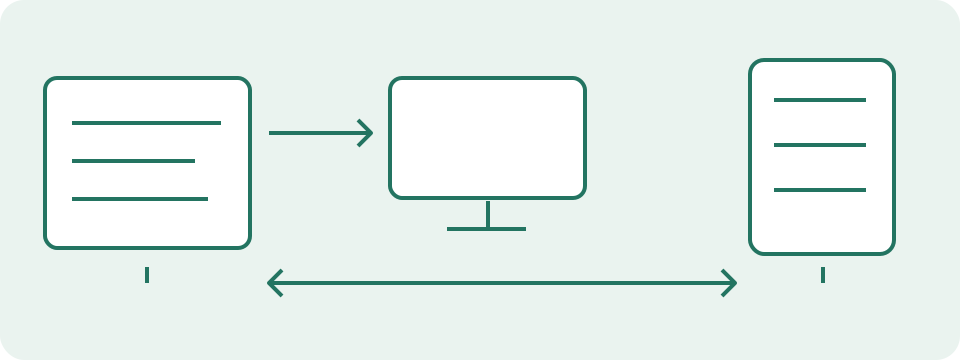
FPS describes frame throughput. Frame-time variation can make movement uneven even with a reasonable average FPS. Ping concerns a network round trip; loss and variation can disrupt online updates. Delayed input can involve a separate device-to-display path. More than one category can apply.
Worked Example
Characters jump backward during online play while FPS remains steady and the game's ping rises. Start with network and server checks. A choppy scene in local play with falling FPS instead points toward rendering checks.
Choose the Symptom from the Game Itself
Select the context first: local, online, cloud or unknown. Then select every symptom actually observed. Low or falling FPS concerns rendered frame delivery. Uneven frames or stutter can be visible even when an average FPS counter looks steady. Characters jumping backwards or online updates arriving late are different observations from a local action responding late. Several boxes can apply to the same attempt. This page uses those answers to show relevant next checks; it does not attach to the game, read a performance overlay or discover the server. An unobserved cause should not be selected just because a forum post mentioned it for the same game.
Describe Trends During the Same Episode
The FPS field asks falling, stable or unknown. The ping field asks rising, stable or unknown. Use the game's own available readings during the symptom, rather than a speed-test result recorded earlier. A trend is not a numeric diagnosis: a steady reading can still be high, and an average can miss a short spike. Unknown is appropriate when the game does not expose that statistic or it was not watched during the episode. The checker accepts no numeric FPS, ping or packet-loss percentage. It therefore cannot classify a particular number as good, bad or suitable for a game. Keep any available numbers in a separate dated record.
Read Combined Checks Without Excluding Other Paths
The examples illustrate how observations combine. Falling FPS selects rendering checks. Rising ping selects network checks. Delayed input selects both input and display checks. An unknown context, FPS trend or ping trend also asks for a repeatable comparison. Stable readings do not cancel a symptom that was selected: stutter with stable FPS still leads to frame-delivery checks. Online context by itself is not proof of a network fault and does not automatically select that group here. Cloud adds streaming-stage checks, where local decoding and remote delivery both matter. Changing answers updates the groups; Calculate announces their headings. Reset clears the answers, not game settings. The result supplies checks rather than an exclusive cause or repair verdict.
| Where does the issue occur? | Which symptoms occur? | What is the FPS trend during the symptom? | What is the in-game ping trend during the symptom? | Suggested next checks |
|---|---|---|---|---|
| Local game or app | Uneven frame delivery or stutter | Stable | Stable | Check rendering and frame delivery |
| Online game | − | Falling | Rising | Check rendering and frame delivery; Check the game-server path |
| Online game | Input actions respond late | Stable | Unknown | Check the input path; Compare display processing; Collect a repeatable comparison |
| Cloud or streamed game | − | Stable | Stable | Separate the streaming stages |
| Online game | − | Stable | Stable | Collect a repeatable comparison |
Compare Frame Delivery in a Repeatable Scene
Record the graphics and display settings used when the problem appears. Choose a comparable training scene, replay or local action where another test will not affect other players. Watch a frame-time graph when the game provides one; a frame-rate average can hide irregular delivery. Pause one optional workload or reduce one available graphics setting, repeat the scene, then restore the original condition. A difference supports that comparison without identifying a CPU, GPU, memory or storage fault. A menu, a quiet scene and a busy fight can have different workloads. Lower resolution can reduce some rendering work, but a better FPS result does not establish that every source of visible delay has improved.
Keep Network Clues Tied to the Match
Record the game region, time, connection and the game's own warnings alongside the symptom. Check the official regional status before assuming a local problem. A visible correction or failed hit registration is a clue; the checker cannot identify lost packets or blame a router from that description alone. Compare a known optional upload or download paused against the same session conditions. An available Ethernet comparison removes the local Wi-Fi radio link from that attempt, without identifying a specific interference source. The separate HTTP timing test reaches this site's endpoint, not the match server. Its request failures are not a measured game packet-loss percentage. Faster throughput also does not guarantee stable round-trip timing.
Keep a Useful Record for the Next Decision
Write the expected action, observed result, selected symptoms, available statistics and one change tried. Keep unsuccessful comparisons as well as successful ones. A local input event can arrive correctly while the display or game responds late; continue with the matching input checks instead of changing a network setting automatically. Cloud play needs the service's own stream and network statistics as well as local display and decode context. Persistent problems limited to one game call for its official troubleshooting and a specific evidence record. Avoid generic booster promises, unsourced driver downloads and multiple system changes based on one result. This checker does not recommend a purchase, certify a bottleneck or prove that another stage is working correctly.
What the Result Means
This page cannot read another game's live telemetry or test its server automatically. A speed test to a different destination does not establish game-server latency. Unknown readings do not count as normal readings.
Common Questions
Can High Ping and Low FPS Happen Together?
Yes. Follow both paths when the observations support them; one result does not rule out the other.
Does This Apply to Cloud Gaming?
Cloud play combines input, network, remote rendering, video decoding and display stages. A local-play comparison may be unavailable.