How to Use This Tool
- Enter filament weight, price per kilogram and estimated printing time.
- Add average power, electricity price and the machine and labour rates you want to include.
- Review the breakdown and compare another scenario by changing one input.
Calculation Method
Slice the model with the actual printer, material and print settings before copying the estimated grams and duration. Include supports, brims and purge material when they are present in the slicer total. The finished object’s weight alone can omit filament that the printer consumes but does not leave in the finished part.
Worked Example
An 80 g print from filament costing 25 currency units per kilogram uses 0.08 × 25 = 2.00 in material. Four hours at an average 120 W uses 0.12 × 4 = 0.48 kWh. At 0.30 per kWh, electricity costs 0.144. Before other costs, that example totals 2.144, commonly displayed as 2.14.
Start with Slicer Weight and Time
Slicer time is an estimate. A different acceleration limit, start routine or machine setting can change the elapsed job time. Keep the initial estimate and later compare it with a completed print. This calculator prices the supplied inputs; it does not read a model and discover the exact settings or duration.
The Finished Part Is Not All the Material Used
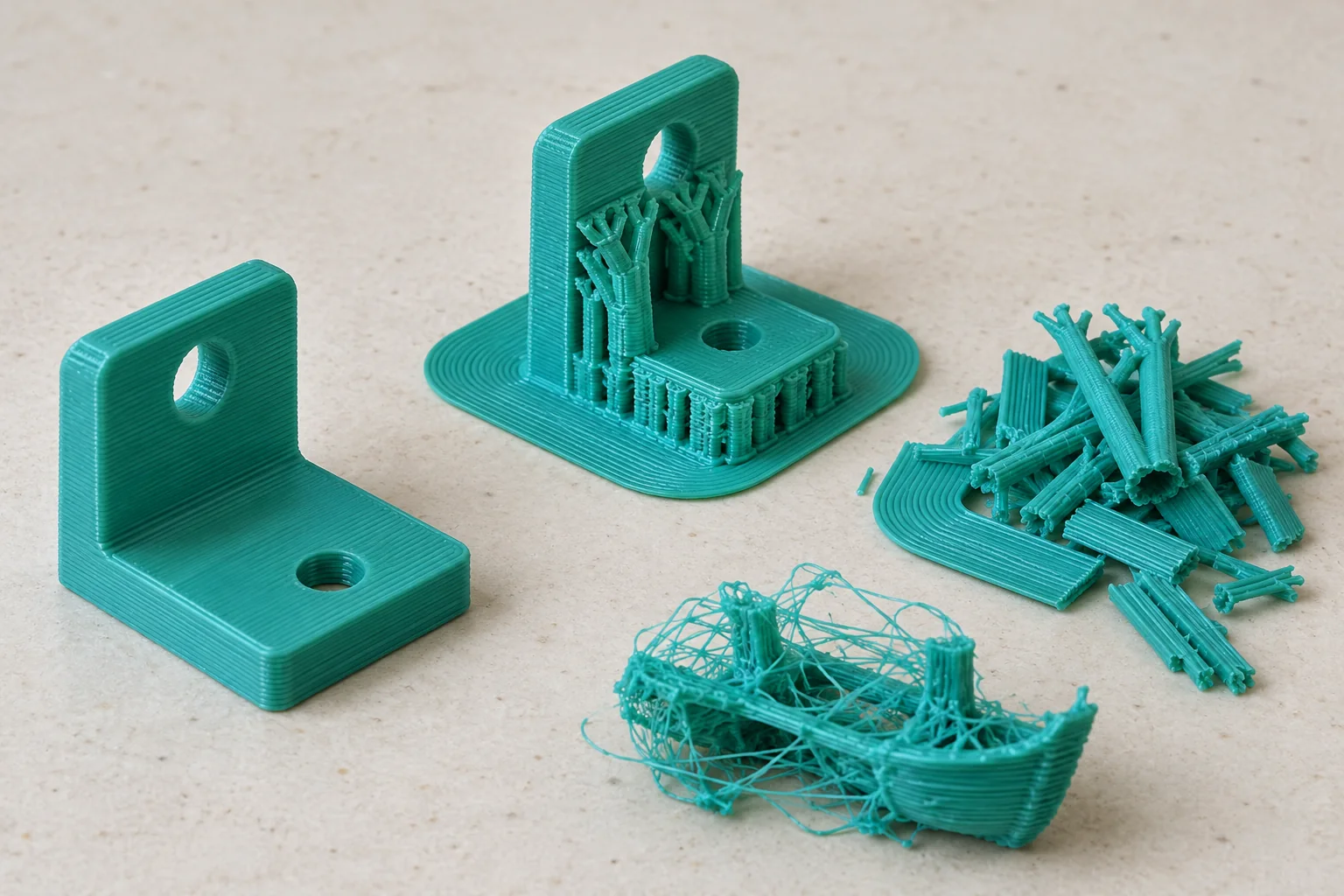
Keep Currency and Units Consistent
Use one currency for filament, electricity, hourly rates and the final total. Choosing a currency label does not convert exchange rates. Filament price per kilogram must match weight entered in grams: divide grams by 1,000 before multiplying by the kilogram price. Electricity uses kilowatt-hours, so convert average watts to kilowatts before multiplying by hours.
Check an Independent Cost Example
A machine rate of 0.50 per hour adds 2.00 for the same four-hour job. Fifteen minutes of hands-on work at 12.00 per hour adds 3.00. The combined example is 7.144 before any separately chosen extras. Keep more precision in intermediate calculations and round the final currency amount.
Use Measured Average Power
The power supply’s rated wattage is a capacity limit, not a measurement of a whole print’s average consumption. Heating, motion and cooling can draw different amounts. Use a suitable energy meter and a representative completed job to estimate average power, or clearly label an assumed value. Do not treat one printer’s reading as a verified value for another machine.
Separate Cost from Selling Price
A machine hourly allowance can represent the share of purchase cost, maintenance or shop overhead that you choose to allocate to printing. It should come from your own usage assumptions. Hands-on labour is preparation, handling and finishing time, not automatically every unattended print hour. Avoid counting the same maintenance or labour amount in two different fields.
A cost total is not a recommended market price. Packaging, delivery, platform fees, taxes and a chosen profit are separate decisions. Failure risk also varies by job and process. Describe any added allowance explicitly rather than presenting an arbitrary percentage as the measured failure rate of your printer.
What the Result Means
This calculator covers costs entered for an FDM filament job. It does not determine resin washing, curing or protective-equipment costs, predict print success, or guarantee a sale price. A zero field omits that cost from the result; it does not mean the real expense is zero. Replace assumptions with actual records as they become available.
Common Questions
Why Is a 20% Failure Rate Not Just a 20% Cost Addition?
The expected-cost model divides each attempt’s full cost by the success fraction. A 20% failure share gives cost ÷ 0.8, or 25% above one attempt. It assumes independent retries and the same full cost for every failed attempt.
Should Slicer Weight Include Supports and Brims?
Yes, when they are part of the job being costed. Use all consumed filament, not only the finished part’s mass. Add separately consumed material only once and keep failure assumptions separate to avoid double counting.