How to Use This Tool
- Enter the average traffic rate in Mbps, not the maximum speed of your internet plan.
- Enter the hours per session and number of sessions in the period.
- Add a GB data allowance to see the estimated percentage used. Check that your plan also uses GB.
Calculation Method
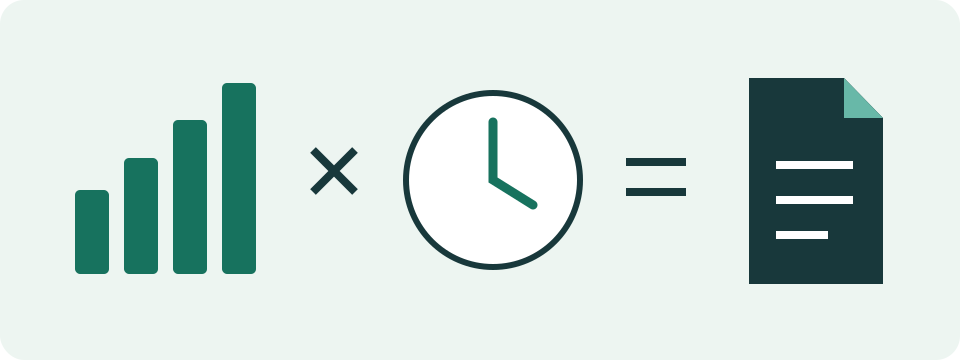
Total bytes = Mbps × 1,000,000 × hours × 3,600 × sessions ÷ 8. Divide bytes by 1,000,000,000 for GB or 1,073,741,824 for GiB. The allowance percentage compares equal units.
Worked Example
At 4 Mbps, thirty sessions of two hours transfer 108 GB, approximately 100.58 GiB. That represents 108% of a 100 GB allowance.
Use an Average Traffic Rate, Not Your Plan Speed
A connection advertised at 100 Mbps does not transfer 100 Mbps throughout every activity. A video player can download segments in bursts, pause between them and change quality. The calculator needs average counted traffic over the time you enter. A speed-test result describes a particular transfer test; it is not the average consumption of a programme, game or call.
Choose a rate that represents the activity being planned. A measurement from a comparable session is useful when its period and included traffic are known. A documented service estimate can support a scenario, but keep its conditions attached. Netflix, for example, publishes per-device usage figures as upper estimates and offers adaptive settings. A resolution label alone does not establish one fixed rate for every service.
Turn a Usage Observation Into a Rate
Record a counter before and after a session and note its duration. Keep the connection, selected quality and scope of the counter consistent. A whole-device counter can include updates and background work; an application's counter can omit other counted traffic. Check the measurement's units rather than assuming every number labelled data uses decimal GB.
For an independent example, 900 decimal MB transferred over 30 minutes corresponds to 4 Mbps on average: 900 million bytes multiplied by eight, divided by 1,800 seconds and one million. Enter 4 as the rate and 0.5 hours for a comparable session. This observation does not promise the next episode will have the same size. Repeat the observation to build a useful range.
An average measured across a whole session already includes its quiet intervals. Do not subtract the same pauses again from the duration. Use a rate and a time measured over the same scope.
Match Sessions to the Period Being Planned
Hours per session and session count describe repeated activities of the same assumed duration and rate. A 45-minute activity uses 0.75 hours. Twenty such sessions represent fifteen active hours, not twenty whole days of traffic. Keep the counting period explicit: a week, a billing cycle or a trip can contain different numbers of sessions.
Different activities need separate calculations. Work out video viewing, calls and downloads with their own suitable inputs, then add totals in the same unit. Do not describe every hour a device stays switched on as an hour at the selected media rate. Pauses, standby and background transfers require their own observations. This calculator has one activity model rather than an automatic monthly activity inventory.
Read GB, GiB and Allowance Percentage Correctly
GB and GiB describe the same calculated bytes using different divisors. Here, one GB is one billion bytes and one GiB is 1,073,741,824 bytes. The optional allowance field uses decimal GB. A 100 GB allowance is not a 100 GiB allowance; compare equal units before interpreting the percentage. The unit guide explains the difference with capacity and transfer examples.
At a hypothetical 2 Mbps, twenty sessions of 0.75 hours transfer 13.5 GB. Against a 100 GB allowance, the result is 13.5%. That percentage covers only the modelled activity. Existing usage is not automatically added. With 40 GB already recorded in the same cycle, combining that observation and this estimate gives 53.5 GB before any other traffic. This is a planning sum, not a provider balance check.
Include the Directions Your Allowance Counts
A download-only rate cannot estimate combined uploads and downloads. A call may send camera and microphone data while receiving other media. A backup sends data outward. Check the plan's actual counting rules, then use the average of the traffic included by those rules. Do not add a second audio estimate to a measurement that already includes audio.
The distinction between capacity and consumption also matters. A call-bandwidth recommendation helps plan a connection, but does not state the average data consumed throughout an hour. Likewise, a streaming upload margin is extra planned capacity rather than additional media automatically transmitted. Use observed average traffic for a data budget, and connection requirements for a bandwidth budget. They answer different questions.
Compare Scenarios Before Changing Your Settings
The table shows constant-rate arithmetic for one active hour. It is not a list of named apps or promised video qualities. Doubling duration doubles this model's data total; doubling the entered average rate does the same. That makes the calculator useful for comparing two stated assumptions without pretending to detect which one your device will use.
Keep a lower and higher estimate when quality adapts or activities vary. Save the result or a share link with a note describing the assumptions. Compare the estimate with actual counters during the planned period and adjust the next calculation. Lower playback quality, background-transfer controls and Wi-Fi-only settings have service-specific effects; use the current device or app documentation instead of a universal menu path.
| Assumed Mbps | Decimal GB |
|---|---|
| 1 | 0.45 |
| 2 | 0.9 |
| 4 | 1.8 |
| 8 | 3.6 |
Use Actual Records to Settle a Difference
Phone, router and provider counters can have different scopes and reporting periods. Check the selected SIM or connection, cycle dates, units and applications included. A hotspot can carry other devices' traffic; a phone-only activity list is not automatically a complete household total. Google explicitly notes that a phone's measurement can differ from its carrier's records.
The calculator reads only the values entered here. It does not access an account, monitor other applications or confirm a charge. Zero rate, zero duration or zero sessions gives zero modelled traffic. A supplied allowance must be positive and the session count must be a whole number. Unexpected real consumption needs an actual usage record, not a larger invented bitrate to make the estimate match.
What the Result Means
The entered rate is an assumption. Adaptive quality, pauses and other traffic change actual use. This calculator does not read your provider's usage records.
Common Questions
Should I Include Outgoing Traffic?
Include it in the average rate when the allowance counts uploads. A download-only rate cannot describe both directions.
Does This Predict a Service's Consumption?
No. Supply its measured or documented average bitrate; resolution alone does not establish a fixed data rate.