How to Use This Tool
- Select a supported audio file for local analysis, or tap a steady pulse.
- Listen to a section with a clear beat and compare the estimated BPM.
- Check half and double the result with the metronome.
Calculation Method
Use a file that contains several repetitions of the rhythm you want to measure. A short opening with speech or a long ambient fade can produce a different estimate from the main song. Listen before accepting the number. Select material you are permitted to use; choosing a file here does not grant rights to the recording.
Worked Example
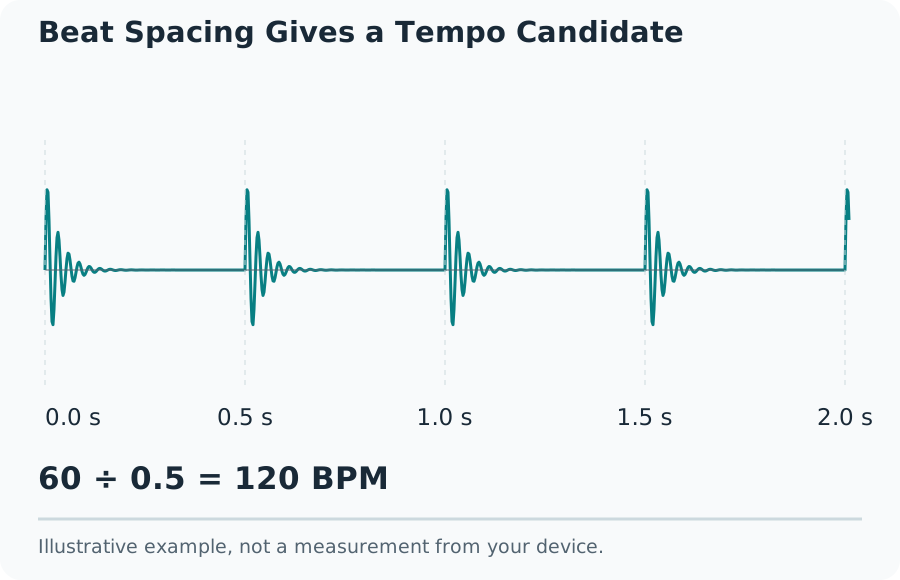
A regular pulse separated by 0.5 seconds corresponds to 120 BPM because 60 ÷ 0.5 = 120. A pulse every 0.75 seconds corresponds to 80 BPM. These examples check the tempo calculation, not the accuracy of automatic detection on every style of music.
Choose a Clear Section
The audio file is decoded in this browser. Format support depends on the browser and operating system. A file extension alone does not prove that its codec is supported. A decoding error means the analysis could not read that file, rather than that the recording has no tempo.
File analysis accepts audio from 6 to 600 seconds and a file size up to 20 MiB. Larger or longer files need a suitable shorter copy prepared elsewhere. A compressed file can require much more memory after decoding, so a compatible file can still fail on a constrained device.
Beat Spacing Gives a Tempo Candidate
Understand the BPM Estimate
BPM counts the chosen beats in one minute. It is not the audio sample rate, the number of notes, or a measure of sound quality. Automatic detection looks for repeating rhythmic activity. Strong subdivisions, syncopation and sparse drums can point to more than one plausible pulse. Treat the displayed number as a candidate to check by listening.
Check a Result Independently
An estimate of 140 BPM may represent the same underlying pattern counted at 70 BPM. Neither number tells you which note value the composer assigned to the beat. Count along to a complete phrase and choose the interpretation that makes the musical grouping coherent.
Use Tap Tempo as a Second Opinion
Tap once per perceived beat, rather than on every audible note. Keep tapping through several bars before reading the average. A mistaken tap or a change in the pulse you follow can shift the answer. Reset and repeat instead of combining unrelated sections into one average.
Tap tempo measures the timing of your inputs. It does not analyze the song playing in another application and does not establish a precise beat grid. Small differences between attempts are expected. A metronome at the proposed BPM can reveal whether the click gradually drifts from the recording.
Handle Uncertain or Changing Tempo
Try a rhythmically consistent part when an intro, breakdown or live performance gives an unstable result. A single BPM value cannot describe every beat in a song with tempo changes. Swing also changes the spacing between subdivisions without necessarily changing the main beat rate. Do not stretch an entire recording solely to match one uncertain estimate.
What the Result Means
This tool estimates tempo. It does not identify the musical key, name the song, verify copyright, or promise professional beat tracking. Silence, very short clips and weakly periodic recordings may not give a useful result. No confident-looking number should replace a listening check when timing matters to a mix or edit.
Common Questions
Why Can the Same Recording Produce Half or Double the BPM?
An algorithm can follow subdivisions or a slower recurring accent instead of the pulse you intend to count. Compare the estimate, half and double by listening with the metronome or by tapping a steady passage.
Is My Audio Uploaded for Analysis?
No. A supported file is decoded in this browser. Use a clip from 6 to 600 seconds and no larger than 20 MiB. File support and memory limits depend on the browser.