Write Down What Needs to Work at the Same Time
Begin with a short activity list: one live broadcast, two separately joined calls, a file upload and any viewing that will overlap. Include only work expected during the same period. A backup scheduled after the event is different from a backup running during it. Record which devices share the internet connection and which use another connection, such as their own mobile data.
For each activity, note the application, selected mode and source of its rate. Separate an editable example from a service recommendation and an observation from a real session. This list prevents a common planning error: applying one internet speed number to activities that have different sending, receiving and timing needs. Keep the list small enough to check against the actual event.
Treat Upload and Download as Separate Budgets
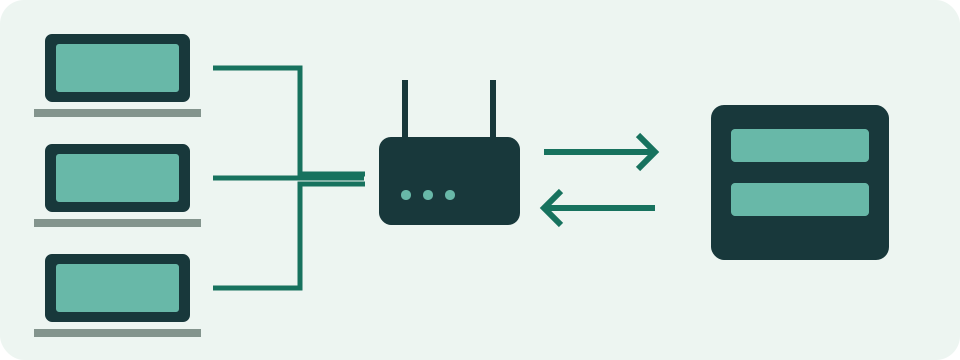
Sending a camera feed uses outgoing capacity. Receiving other people's video uses incoming capacity. A large advertised download number does not describe the upload available to a broadcaster. Write the two directions on separate lines and compare each with a suitable observation of that direction. Adding upload and download requirements does not create one required download-speed figure.
The connection's advertised maximum, a speed-test result and an application's average use are also separate facts. A test describes its endpoint and period. An average describes traffic across its measured duration. A recommendation describes a planning reference. Preserve those meanings instead of relabelling all three as the connection's guaranteed capacity throughout an event.
Find the Encoder's Actual Outgoing Feeds
Read video and audio bitrate settings for each feed sent from the local encoder. Convert units before adding: 160 kbps audio equals 0.16 Mbps. A hypothetical 4.25 Mbps video feed therefore contains 4.41 Mbps of combined media. That number describes the entered audio and video; it does not automatically include every control message, retransmission or background task.
Count actual transmissions. Two direct platform outputs can send two feeds. One feed sent to a cloud service that distributes it elsewhere has a different local path. Some broadcasting modes send several locally encoded variants even to one destination. Neither platform count nor viewer count alone reveals the outgoing total. Check the current encoder configuration and the service's documented distribution method.
Count Local Call Devices and Select Their Mode
For calls, count separately joined local devices sharing this connection. One person on a computer and phone can count twice. Several people in a room using one system can count once, with that system's applicable profile. Remote participants do not automatically create another separately joined local endpoint. Meeting layout can still affect the media received by the local device.
Choose rates from current service guidance or comparable application statistics. Note the exact column and mode. Teams distinguishes minimum, recommended and best-performance references. Zoom distinguishes one-to-one, group, gallery and sharing modes. Do not combine an upload from one profile with a download from another and call the pair a universal requirement. Mixed local groups need separate calculations before summing each direction.
Build a Small, Transparent Example
Consider one hypothetical 4.41 Mbps outgoing media feed and two local call endpoints assigned 2 Mbps up and 3 Mbps down each. The entered upload subtotal is 8.41 Mbps: 4.41 plus four. The call download subtotal is 6 Mbps. These are illustrative assumptions, not a platform preset. The stream's monitoring and protocol traffic remain outside this simplified subtotal.
An unmodelled receiving value is not proof of zero traffic. The table marks that part explicitly. Add other identified traffic separately in its direction, using a stated basis. The purpose of a subtotal is to show what has been counted, not hide unknown work behind an exact-looking total. Record exclusions alongside the calculation so the next person can understand the same budget.
| Included activity | Upload Mbps | Download Mbps |
|---|---|---|
| One outgoing media feed | 4.41 | Not modelled |
| Two call endpoints | 4 | 6 |
| Included subtotal | 8.41 | 6 |
Add a Margin Once and Define Its Denominator
Apply a chosen addition to the relevant subtotal only after deciding what it includes. Adding 25% to 8.41 Mbps gives a 10.5125 Mbps upload plan. Applying the same addition to the 6 Mbps call-receiving subtotal gives 7.5 Mbps. Those numbers remain an incomplete illustrative budget until unmodelled work has been considered. The percentage is a planning choice, not measured network overhead.
Adding 25% to a requirement is not reserving 25% of total capacity. The streaming calculator explains that distinction. Avoid applying the same addition once to each item and then again to the subtotal unintentionally. A note such as '25% added to the included base media requirements' is clearer than an unexplained headroom number. No percentage substitutes for a real test of the intended setup.
Compare a Plan with Observations in Both Directions
Suppose a test reports 12 Mbps upload and 40 Mbps download. Both exceed the partial example's numerical targets, but that does not prove a complete event will work. The measurement can occur at another time, use another path and test sending and receiving in separate phases. A brief best result also does not establish a sustained minimum.
Record test conditions: device, connection type, location, time and relevant background activity. Repeat comparable observations at the expected busy time rather than selecting only the highest number. A wired comparison can help investigate the wireless part when available, but a difference alone does not identify every cause. The actual broadcast ingest and meeting paths still need their own checks.
Rehearse with the Activity and Devices That Matter
Run a practical rehearsal with the expected local devices and representative audio, motion and shared content. Watch the platform's health messages and the application's available statistics. Note changing quality, interrupted sound, delivery problems and when they occur. A quiet camera preview is not equivalent to broadcasting a moving scene while two calls share the connection.
Separate network delivery observations from encoding or rendering trouble. A computer can struggle to prepare frames even with enough numerical bandwidth. Local microphone, camera and speaker tests answer narrower capture or playback questions and require their stated permissions. Their success is useful preparation, but does not certify the entire meeting or broadcast path. Keep a record of the actual application result as well.
Investigate One Change at a Time
When the rehearsal has a problem, keep its time, mode and messages, then compare a controlled change. Pause a nonessential transfer, compare an available wired path or test a lower supported media setting. Change one factor at a time where practical. A different outcome supplies an observation; it is not proof that every similar symptom has the same cause.
Follow the service's relevant troubleshooting documentation and the rules of a managed network. Do not remove required security or workplace settings just to imitate a generic guide. Browser HTTP timing describes the tested web request, not the call's own packet loss or media jitter. Missing application statistics should remain unknown rather than being filled with a plausible-looking latency estimate.
Estimate Data Separately and Keep the Final Record Useful
Connection capacity is a rate; a data allowance concerns accumulated traffic. A hypothetical combined 5 Mbps average over a 40-minute call corresponds to 1.5 decimal GB. The connection margin does not automatically become consumed bytes. Use counted average traffic, the appropriate directions and actual duration for data planning. Check the device or provider record with matched dates and units afterward.
Keep the activity list, source links, calculation assumptions and rehearsal observations together. Update them after a platform, encoder or network change. The record should state what worked during the test, what was excluded and what remains unverified. This produces a repeatable preparation process without presenting an arithmetic subtotal, another site's speed test or a browser device check as a guarantee.