How to Use This Tool
- Place the window fully on the display being checked.
- Start a visible, uninterrupted timing sample.
- Compare cadence and variation with the operating system’s active display mode.
Calculation Method
For steady samples, frequency in Hz = 1,000 ÷ interval in milliseconds. A 16.6667 ms interval corresponds to roughly 60 Hz; 8.3333 ms to 120 Hz; 6.9444 ms to 144 Hz. Small decimal variation is normal. An estimate near 59.94 Hz is not automatically a faulty 60 Hz monitor.
Worked Example
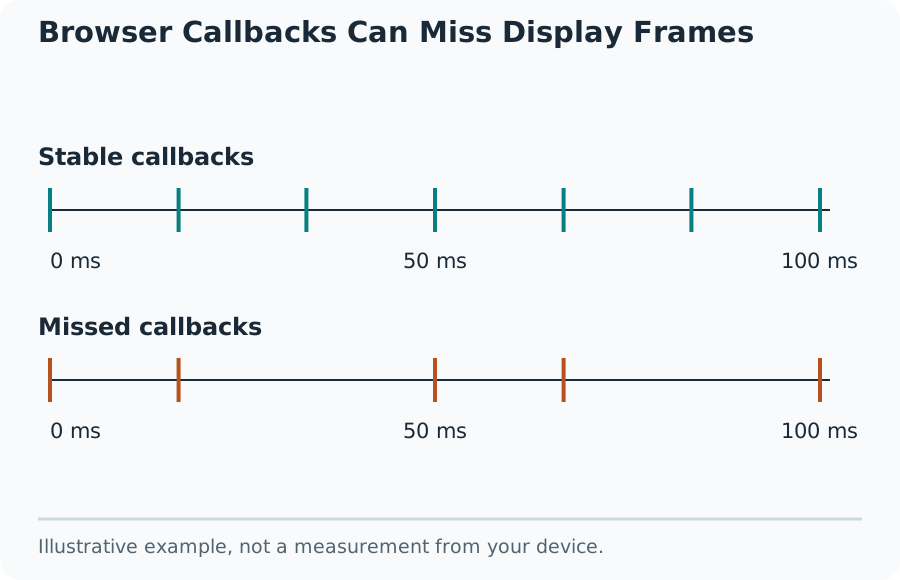
Read the interval variation as well as the headline number. A group of 6.94 ms callbacks with occasional 13.89 ms gaps suggests uneven browser delivery relative to its usual cadence. It does not prove that the physical panel skipped the same frames. A median and a whole-run rate can differ when long gaps occur.
What the Browser Can Estimate
This refresh-rate test samples successive animation callbacks while the page is visible. The result estimates the browser's delivered animation cadence in hertz. That cadence often follows the active display mode, but it is not a direct reading of the panel electronics and does not prove the monitor's advertised maximum rate.
Keep the page visible on the display being checked. A window crossing two monitors, battery-saving settings, a remote desktop session or a busy rendering process can affect delivery. Moving the window to another display calls for a new run rather than combining the two samples.
Browser Callbacks Can Miss Display Frames
Keep the Sample Comparable
Start after the window is settled on one display and avoid scrolling or resizing during collection. Use the normal power mode for the comparison and note any changes. A background or minimized tab may pause animation callbacks; its samples cannot be interpreted as the monitor's operating rate.
No estimate can exceed the information the browser supplies. A 240 Hz panel may produce a lower browser cadence under a capped or power-saving configuration. Conversely, smooth callback timing alone does not establish motion clarity, pixel response speed, low input lag or an active adaptive-sync range.
Investigate a Lower-Than-Expected Reading
Check the operating system's active display mode for the correct monitor. Confirm that the chosen resolution, cable, adapter and port support the intended mode. Recheck browser acceleration and power settings, then repeat without changing several settings at once.
What the Result Means
Use the existing display-bandwidth and cable checks to investigate link requirements, and use motion patterns to inspect visible behavior. Neither is interchangeable with the callback timing estimate. For hardware certification or exact scanout timing, use the manufacturer's tools or appropriate measurement equipment rather than treating a webpage as an electrical instrument.
Common Questions
Why Can a 120 Hz Display Produce a Reading Near 60 Hz?
The browser may deliver fewer callbacks because of the active display mode, power saving, load or its own limits. Confirm the operating system’s active mode and repeat with the window on the intended display.
Do Long Frame Intervals Prove the Monitor Drops Frames?
No. The tool counts callback intervals above 1.5 times the median. Scheduling delays, browser work and variable refresh can cause long intervals without establishing a physical panel fault.