How to Use This Tool
- Paste the complete BEGIN CERTIFICATE REQUEST block.
- Decode it locally and review the subject, requested names and public-key fields.
- Compare the request with the certificate order. Keep the matching private key private.
Calculation Method
The decoder reads the ASN.1 structure of a PKCS #10 request. Parsing a request does not issue a certificate or prove that a certificate authority will accept it.
Worked Example
A request for example.com can list www.example.com in its requested SAN extension. Review both names; the common name alone does not describe the complete intended coverage.
Paste the Request, Not Another PEM File
A PEM request normally begins with BEGIN CERTIFICATE REQUEST and ends with the matching footer. Keep those lines and the complete Base64 text between them. A certificate, public-key file and private-key file have different structures even though they can look similar in a text editor.
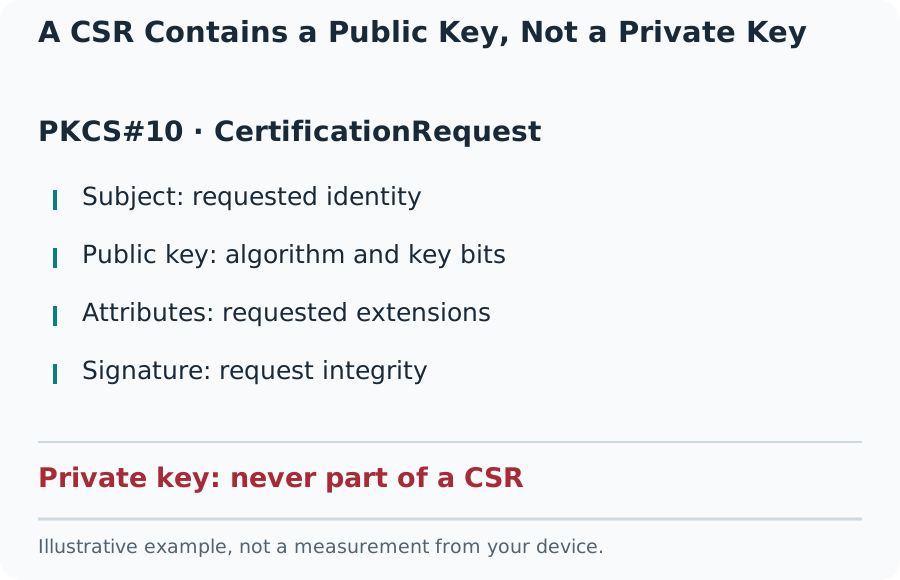
Inspect the header before pasting. A private key is not necessary here and should not be shared in a support ticket or screenshot. The request contains a public key and can also contain names, organization details or other attributes that deserve care when copied outside the intended certificate workflow.
A CSR Contains a Public Key, Not a Private Key
Review Subject and Requested Names
The subject may contain a common name, organization, locality and country code. The fields required for a certificate order depend on the certificate authority and validation type. A decoder reports the supplied values; it does not check a business register or establish that the organization is entitled to them.
Requested Subject Alternative Names can include DNS names and IP addresses. Check spelling, subdomains and wildcard scope against the actual services. example.com and www.example.com are different names. A CSR can ask for a name that the authority later refuses, removes or replaces during issuance.
Read Public-Key Information Carefully
The public key identifies the key pair associated with the request. Its algorithm and parameters matter when choosing a compatible certificate and server configuration. A signature algorithm describes how the request was signed; it is a different field from the public-key algorithm itself.
Decoding a structurally valid request is not proof that its signature verifies. Compare with a trusted local command such as openssl req -in request.csr -noout -text. Use OpenSSL’s verification option when signature verification is required. Do not treat a readable subject as a cryptographic pass.
Correct a Mistake Without Breaking the Workflow
The request is signed, so editing its Base64 text or changing a field in a decoded view does not produce a corrected valid request. Generate a replacement through the server or certificate-management system that will hold the private key. Keep track of which request belongs to which key.
A parser error can come from a truncated copy, wrong PEM type, unsupported encoding or malformed ASN.1 data. Recopy the original file before making certificate changes. After issuance, inspect the installed live certificate separately: a CSR describes a request and contains no certificate expiry date or trusted issuer chain.
What the Result Means
This tool accepts a certificate request, not a private key. Decoding is not the same as cryptographically verifying the request’s signature, validating a company or confirming control of a domain.
Common Questions
Should I Paste My Private Key?
No. A private key is a secret and is not required to inspect a CSR. Stop when the PEM header says PRIVATE KEY.
Can I Edit the Decoded Text?
Changing displayed fields does not change the signed request. Generate a new CSR with the correct information and the appropriate key.