How to Use This Tool
- Review the external test-provider notice and start the test.
- Keep this browser and network connection active while fresh test names resolve.
- Read the observed resolvers and incomplete-test warnings before comparing your VPN or DNS settings.
Calculation Method
Unique hostnames cause the browser’s DNS path to contact an authoritative test service. The service reports the resolver addresses it observed, rather than guessing from a configured DNS address.
Worked Example
Two addresses operated by the same public DNS provider can represent one resolver pool. The number of IP addresses alone is not evidence of a DNS leak.
What a DNS Leak Test Actually Observes
A normal DNS lookup asks for records belonging to a domain. A resolver leak test asks a different question: which recursive resolver reached an authoritative server for newly generated names? Single-use names reduce the chance that an old cached answer hides the current route.
The browser must trigger the lookups. Resolving the same names on the website’s server would measure the hosting network instead of your device. Browser secure-DNS settings, the operating system, a router and a VPN can each influence the path. This test reports the path exercised by this browser during this run.
Count Observations Before Judging DNS Exposure
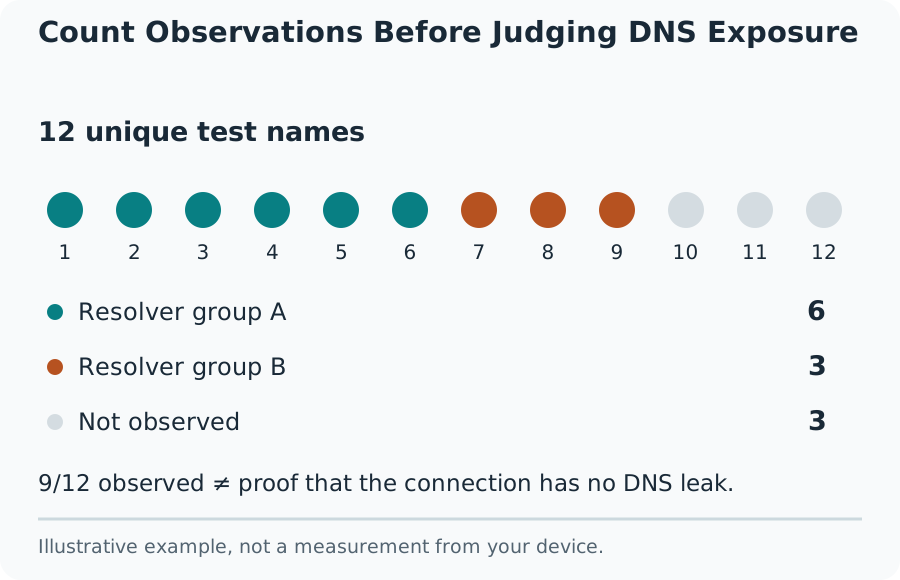
Compare Providers Before Judging the Result
Write down the intended DNS arrangement before starting. A VPN may use its own resolvers, a chosen public resolver or a split-DNS policy for particular destinations. A familiar public provider is not automatically a leak, and an unfamiliar company name can be the infrastructure supplier behind the selected service.
Resolver IP counts need context. One operator can use several egress addresses, including addresses from different ranges. Anycast networks also make city and country estimates unreliable as routing evidence. Compare the operator and the VPN provider’s stated behavior, then repeat on the same connection to investigate a changing sample.
Handle Missing or Partial Observations
Content blockers, DNS filtering, network restrictions, certificate failures after DNS resolution and a temporarily unavailable provider can complicate the test. An HTTPS resource can fail after a lookup has already reached the authoritative server, so resource loading and DNS observation are different stages.
No observed resolver is not proof that DNS is hidden. It can mean the test names never resolved or the provider could not return the report. A partial sample deserves an incomplete warning. Rerun after the service recovers rather than treating a timeout as a successful privacy result.
Privacy and Useful Follow-Up Checks
The external provider receives requests for the test session and observes resolver addresses. Its published policy describes short-lived test results and conditional address-enrichment services. Review that policy before starting. The test does not need browsing history, an account password or access to your router administration page.
Compare a VPN-off baseline with a VPN-on run, keeping the browser and chosen network consistent. A WebRTC comparison checks a separate address-exposure path and a public-IP check shows the web request’s exit address. Neither replaces DNS observations. Keep findings specific to the browser, connection, timestamp and observed operators.
What the Result Means
The test observes this browser’s lookups during the run. It cannot certify all apps, all future traffic or an intended VPN policy it has not been told. No observations means inconclusive, not protected.
Common Questions
Does Another Country Mean a Leak?
No. Resolver registration and anycast geolocation can differ from the place that handled a query. Compare the operator with the service you chose.
Can a DNS Lookup Replace This Test?
No. Looking up a domain through a selected public DNS API tests that API, not the resolver path used by your browser.