How to Use This Tool
- Enter the public hostname used in the browser, without a path or password.
- Run the live TLS check.
- Compare the certificate names, validity dates and verification result with the intended website.
Calculation Method
The website server opens a TLS connection with the requested hostname as SNI and inspects the certificate presented on that connection.
Worked Example
A certificate covering www.example.com does not automatically cover example.com. Both names must be covered by the certificate’s permitted names.
Use the Exact Website Name
TLS identity checks apply to the hostname, not to a brand or an entire hosting account. Check the apex name and a www name separately when visitors use both. An HTTPS redirect still needs a valid certificate on the starting hostname because TLS negotiation happens before the browser can read the redirect.
Enter a hostname such as shop.example.com rather than a complete checkout URL. Do not submit login links or query strings. The server uses SNI so that a shared host can choose the certificate intended for that name. A raw IP can lead to another certificate and is not an equivalent test.
Valid Dates Are Only One Certificate Check
Separate Dates, Names and Trust
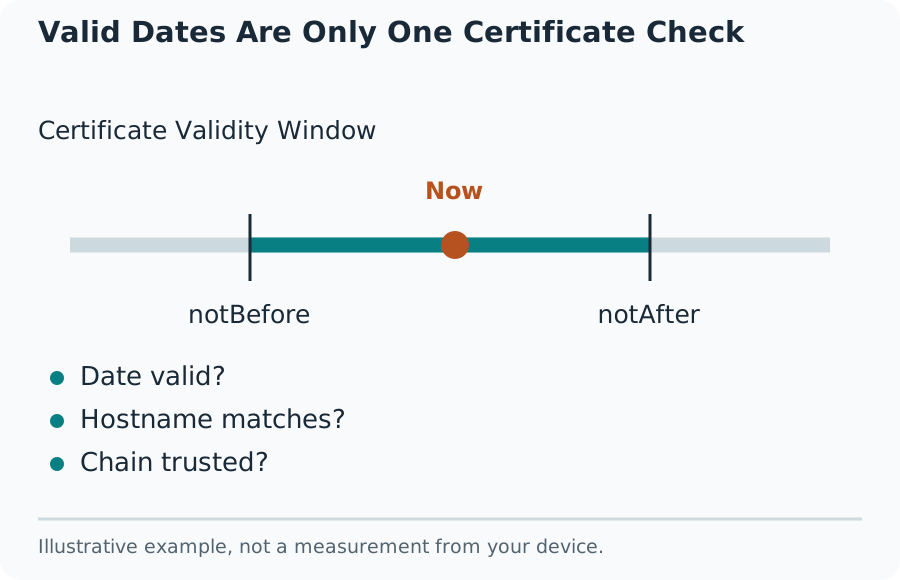
The validity window has a beginning and an end. A certificate can fail because it has not become valid yet as well as because it has expired. Read timestamps consistently, preferably in UTC. A device clock set incorrectly can make a locally viewed certificate appear outside its validity window.
Hostname coverage is checked against permitted certificate names. A wildcard such as *.example.com commonly covers shop.example.com, but not the bare example.com or a.b.example.com. Trust also depends on a verifiable chain to a trusted issuer. None of these checks should be replaced by an attractive countdown to expiry.
Investigate a Failed Connection
A failed TLS handshake can reflect a blocked port, incompatible protocol, missing SNI configuration, interrupted network connection or a certificate validation problem. Keep the actual error. Do not replace it with a confident diagnosis about expiry or a claim that the website is unsafe.
After installing a certificate, check the live endpoint rather than only decoding the downloaded file. A load balancer, reverse proxy or CDN may terminate TLS before requests reach the origin server. Renewing the origin’s certificate will not replace a certificate installed at a different termination point.
What This Check Does Not Establish
The observation describes the address reached from this hosting environment at that moment. It does not test every address behind DNS, every browser trust store, every supported cipher suite or the certificate seen on a managed workplace network. A full configuration audit requires broader protocol and deployment checks.
Treat issuer, dates and names as separate facts. Successful connection verification is not a malware scan and does not prove domain ownership beyond the certificate validation model. Recheck after changes and retain the hostname, resolved endpoint, timestamp and specific failure when reporting a problem to a host.
What the Result Means
This certificate inspection is not a complete TLS security audit, a malware check or proof that every visitor sees the same server. A failed handshake is not automatically an expired certificate.
Common Questions
Does a Valid Certificate Make a Site Trustworthy?
It supports an encrypted connection and the checked identity. It does not assess the honesty of the operator or the content.
Why Can the Browser Show Another Certificate?
Different DNS answers, IPv4 or IPv6 routes, CDN edges, corporate interception or SNI settings can produce different observations.